POLISHED GAME UI
Design polished in-game UI
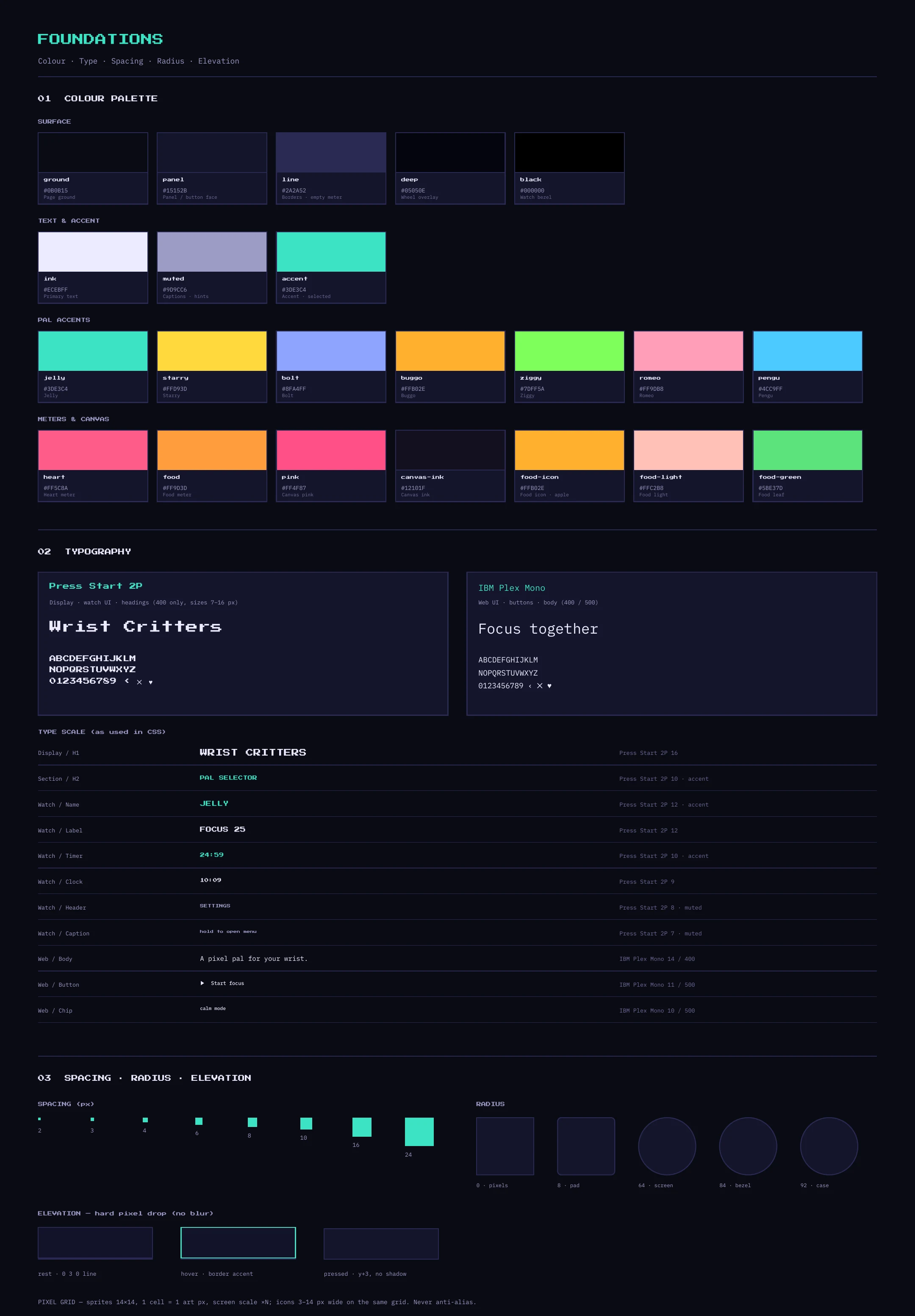
A pixel-perfect interface with a hard-shadow button language, a strict colour set and two typefaces, applied from the watch header and meters to the store screenshots.
A tiny 8-bit pet that lives on your wrist and keeps you company while you focus. Designed end to end: UI, motion, a playable prototype and store-ready assets, in 24 hours.
Live prototype. Tap it, hold it, scroll the pals. Sound switches on with your first tap.
 A game-feel companion for a very small screen
Body doubling makes hard-to-start tasks feel doable: working beside someone, even quietly, helps. Wrist Critters puts that presence on your wrist as a small pixel creature that studies, rests and celebrates with you.
The brief: a retro 8-bit game UI that reads at a glance on a 324 × 394 px screen and stays calm enough to live next to you all day. Seven characters, 37 moods, a design system, a playable prototype and launch assets came out of it.
 UI artist skills in one project
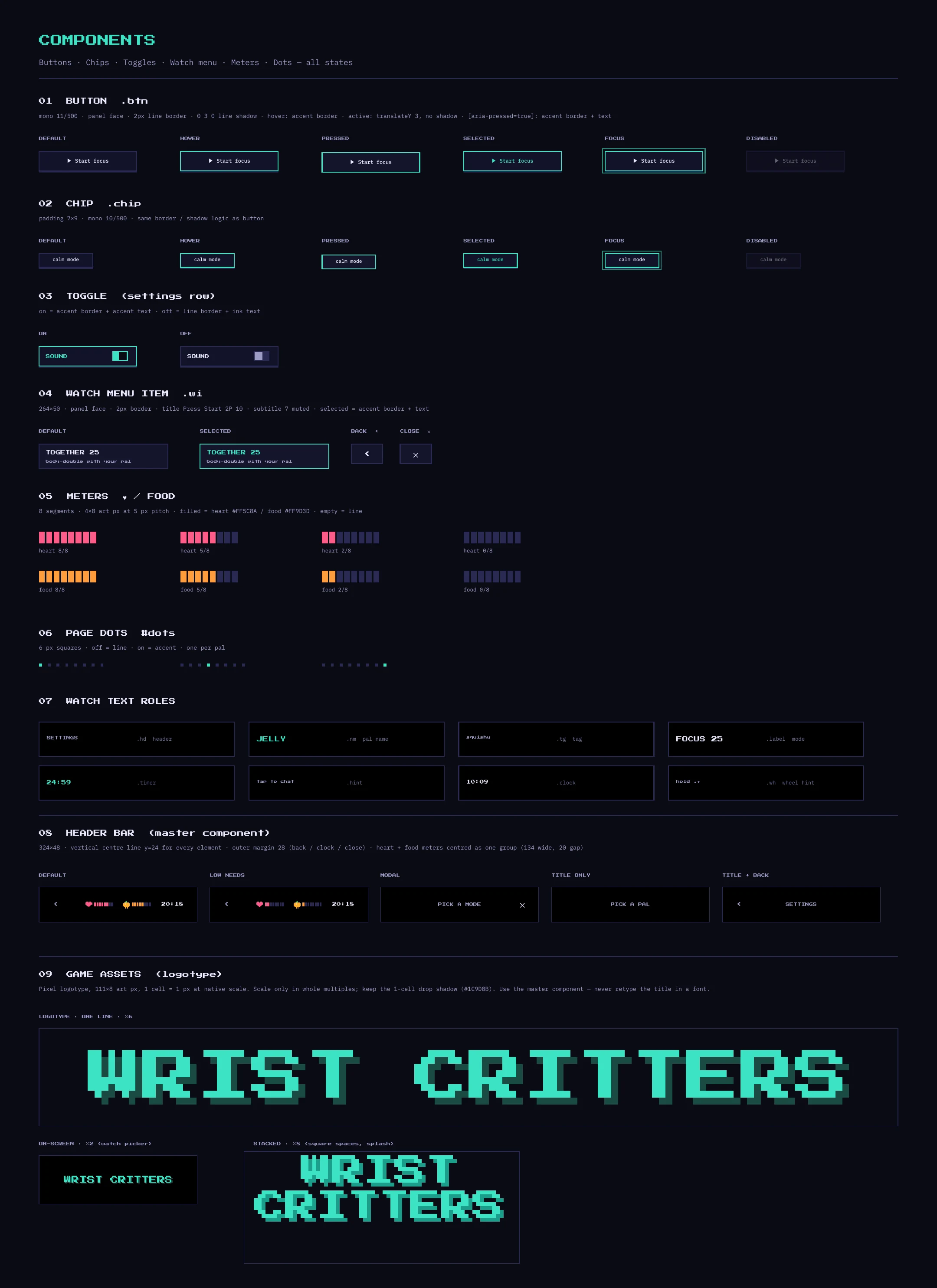
A pixel-perfect interface with a hard-shadow button language, a strict colour set and two typefaces, applied from the watch header and meters to the store screenshots.

A pal picker, a mode wheel, a settings list and eleven full watch screens, each with idle, alert and care states.
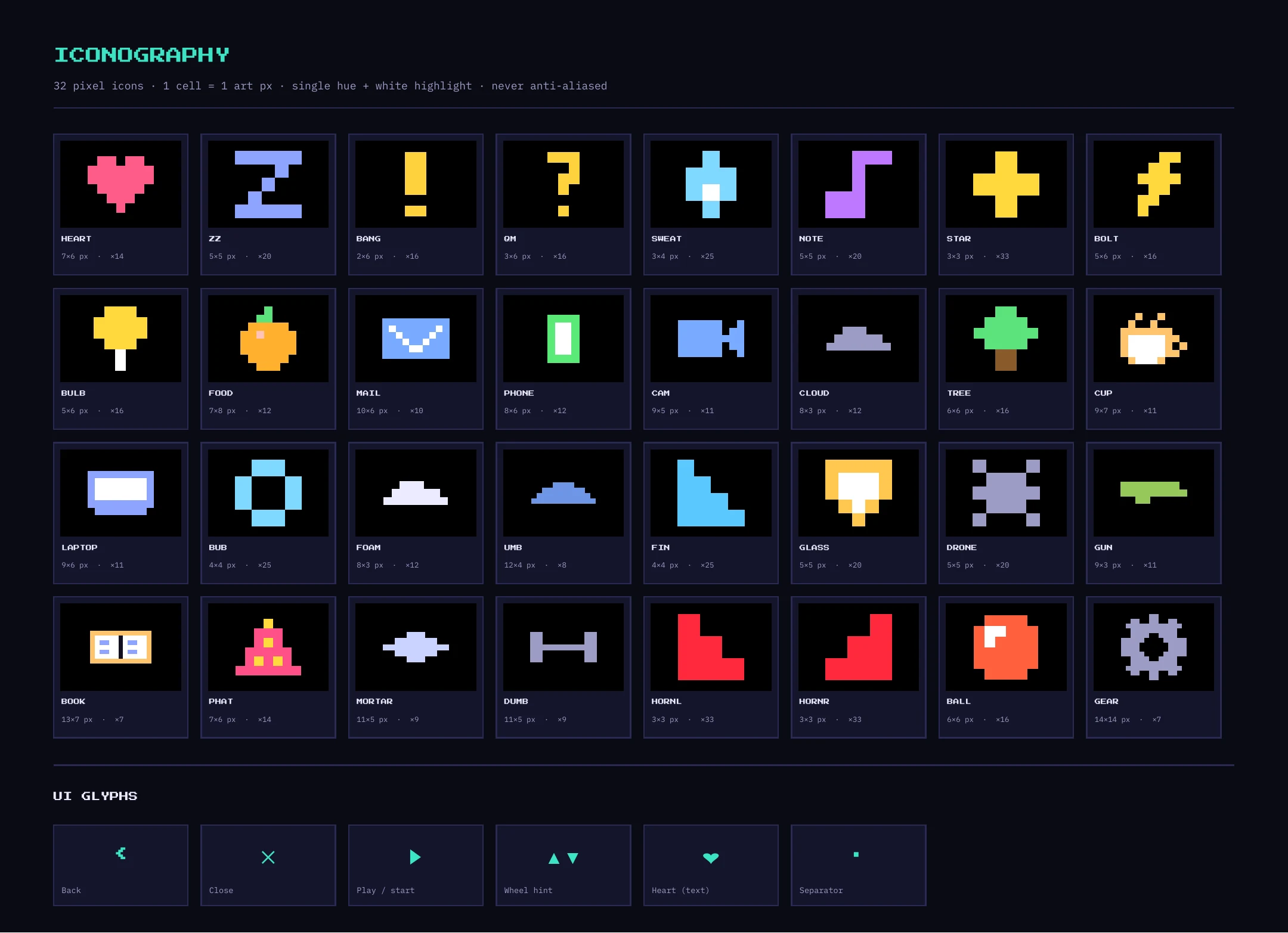
A 32-icon pixel set, seven 14 by 14 character sprites, a logotype, reusable components and a 22-colour library, all named and ready to hand over.
Mood, need and focus logic turned into faces, rings, colour and sound, so a player reads what the pet needs without any text.

One source of truth: the Penpot and Figma style guides and the playable build were kept in sync, with specs, naming and tokens written so engineers and artists can work from them.

Squash and stretch, anticipation, reflex scares, a 28-dot ring that acts as a gauge, haptics, chiptune sound and a reduced-motion mode.
 How it was made, step by step
Nine steps from first idea to store-ready assets. Scroll the list, tap a step to open it.
A 40mm watch, glance-sized interactions, calm sound. An 8-bit look keeps every pixel a design decision.
Output: One-page brief, 324 × 394 px budgetNear-black ground, one mint accent, hard pixel shadows, Press Start 2P and IBM Plex Mono. Each pal tints the ring and glow.
Output: Palette, type pairing, referencesSeven pals on 14 × 14 half-mirrored sprites. Eyes and mouths are procedural, so one body wears any mood.
Output: Jelly, Starry, Bolt, Buggo, Ziggy, Romeo, Pengu37 moods in ten groups, each with a tap action, ring colour, sound and motion. Gestures stay small: tap, double tap, hold, Crown.
Output: State table, gesture map, mode wheelA working canvas build with a test bench, so timing, sound and feel are judged live, not guessed from static frames.
Output: Interactive build (try it below)Decisions live once in the Penpot and Figma master files, then mirror into the build, so design and code never drift.
Output: 22 colours, 13 type styles, componentsEleven watch screens, from picker to incoming call, aligned to one header centre line with 28 px margins.
Output: Screen set with live component instancesSix App Store shots at 416 × 496 and five vertical promo scenes, one clear message per frame.
Output: App Store set, promo reel scenesSprites, states and tokens packaged for a SwiftUI watch build, with a device test next. Documented so anyone can pick it up.
Next: native watch test, store release The live prototype with a test bench
This is the real build, running in the page. Tap the watch, roll or drag to choose a pal, hold the pet to open the mode wheel, or use the bench to force any mood and watch the face, ring, motion and sound change.
Sound starts after your first click. Try Hungry, Alert and Crazy first: they show the widest range of face, ring and motion.
 Seven pixel pals, one expression system
Each pal is a half-mirrored 14 by 14 sprite with a tight palette and a pale highlight, so every body reads as a different silhouette at 1×, 2× and 4×. Eyes and mouths are not baked in. The system combines 18 eye shapes with 12 mouth shapes, which is how 37 moods get their own faces without 37 drawings per pal.
Every mood has a signature face: heart eyes and a smile for love, half-closed eyes and a yawn for sleepy, spiral eyes and a tongue for chaos. I audited the set for repeats, so no two moods share the same eye and mouth pair.
 Motion and interaction design
On a tiny screen, motion is half of the UI. I treated animation as a design layer with its own rules, and tuned it in the prototype instead of in a timeline.
Every state change starts with a 95 ms squash, then a springy pop with overshoot. It makes a mood switch feel physical.
The scare skips the wind-up on purpose. A reflex has no anticipation, so Alert hits instantly with a shake and a buzz.
28 pixel dots circle the pet. They chase when idle and fill like a gauge for Hungry, Lonely and Purring.
Excited hops for 1.5 seconds, then it settles into a calm smile with a gentle sparkle.
Square-wave chiptune cues and distinct haptic patterns for alerts, calls and comfort. Sound and haptics are always optional.
Reduced motion removes hops, shake and jitter while the face and ring still change. Calm mode lowers loud moods for quiet spaces.
Menus and screens builtIdle, active, care, alert and menu states, shown as watch screens from the Penpot and Figma master files.
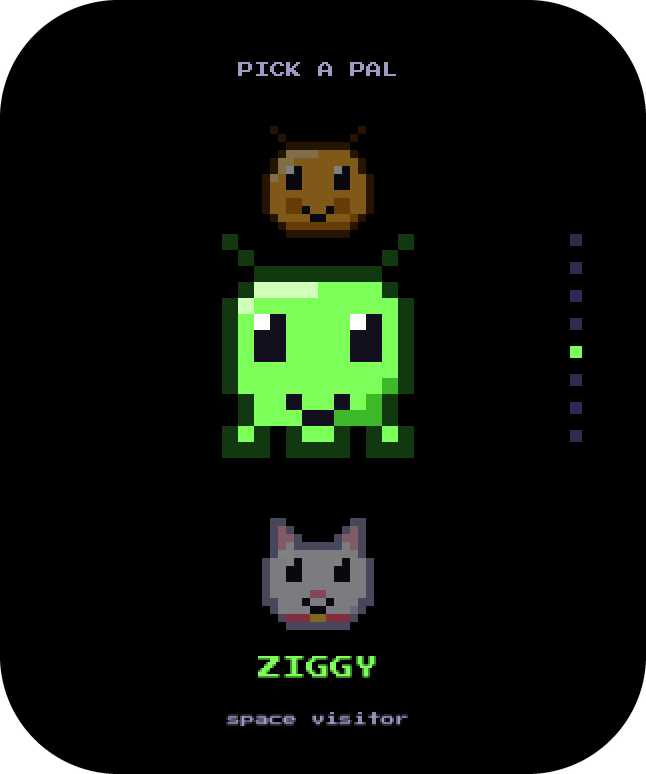
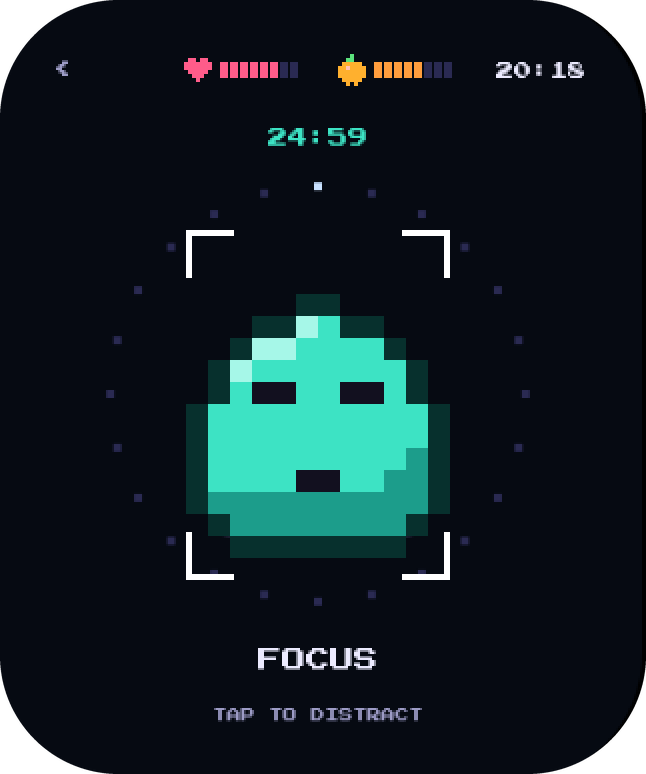
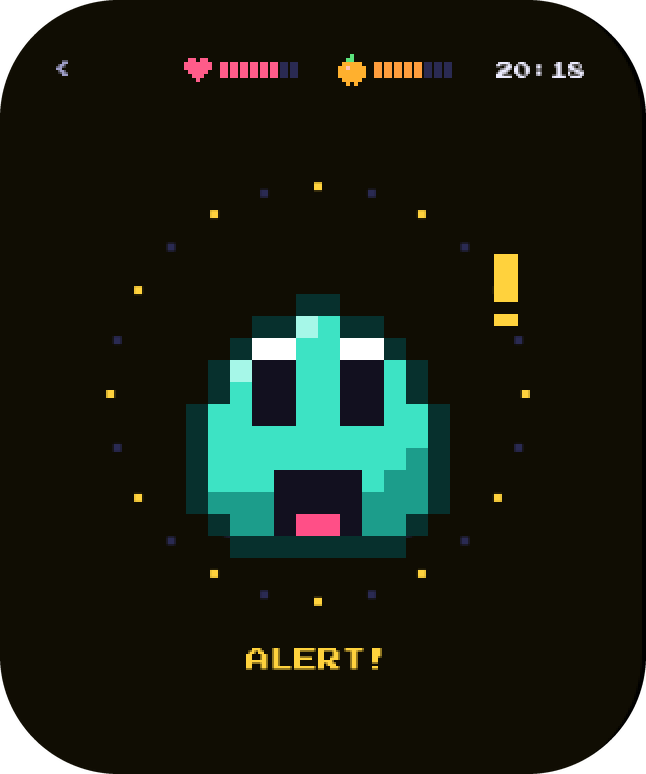
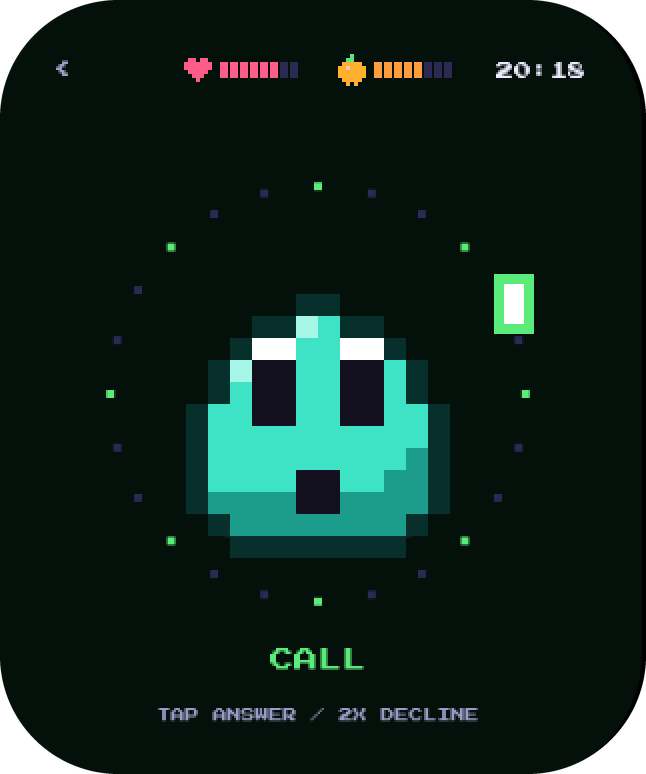
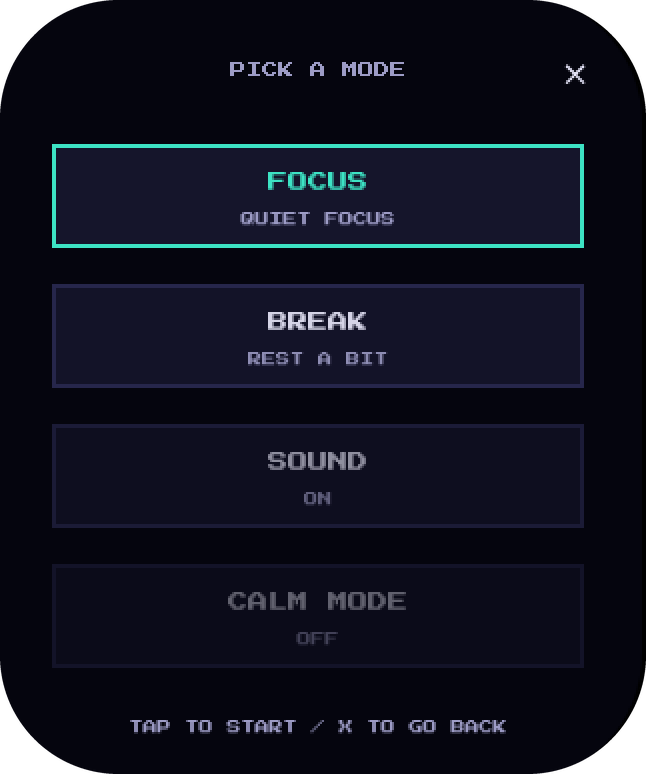
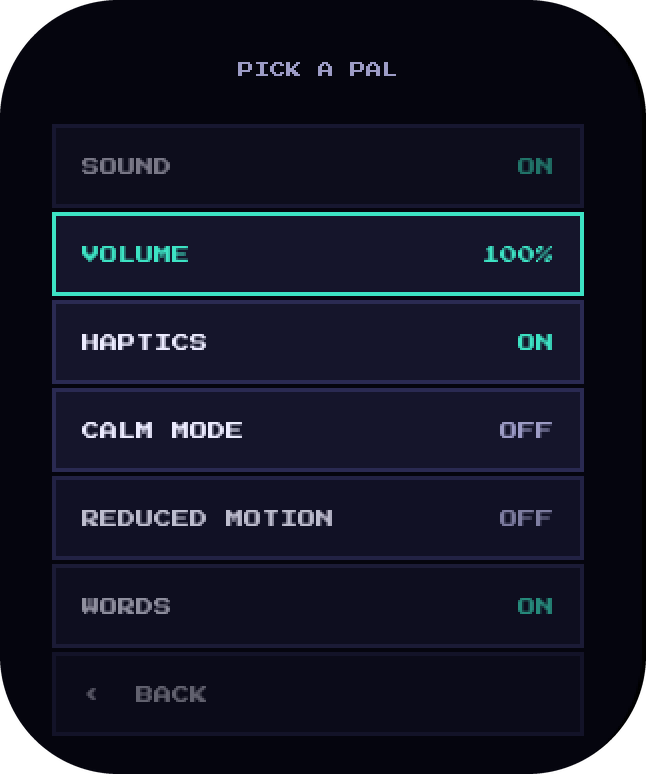
The pal picker is a vertical wheel: the centred pal is big, its neighbours shrink and fade, and a dot rail shows position. The mode wheel uses the same logic for focus, break, sound and calm mode.
The Penpot and Figma master files are the single reference: foundations, components, characters, mood board, screens and icons. Components such as buttons, chips, toggles, menu items, meters and headers are built once and reused across every screen, so a change in one place updates all of them.
 From concept to something you can wear
Designing the system and the prototype together was the most useful decision. Every UI rule had to survive being played, so weak ideas died early and the strong ones got specs. Keeping one master file and one build in sync meant I could hand over assets with confidence.
Next is a native SwiftUI watchOS port to test on a real watch, followed by a freemium release on iOS and Android with optional character and mood packs.
STORE LINK · COMING SOON
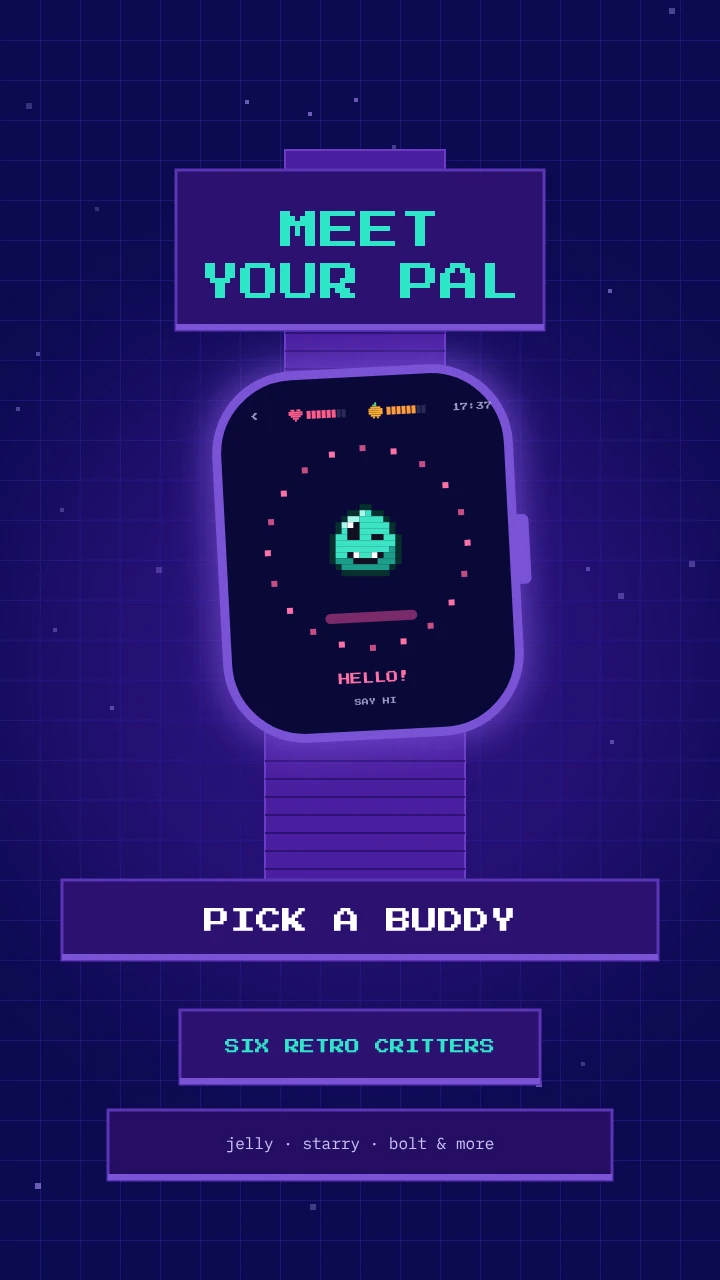
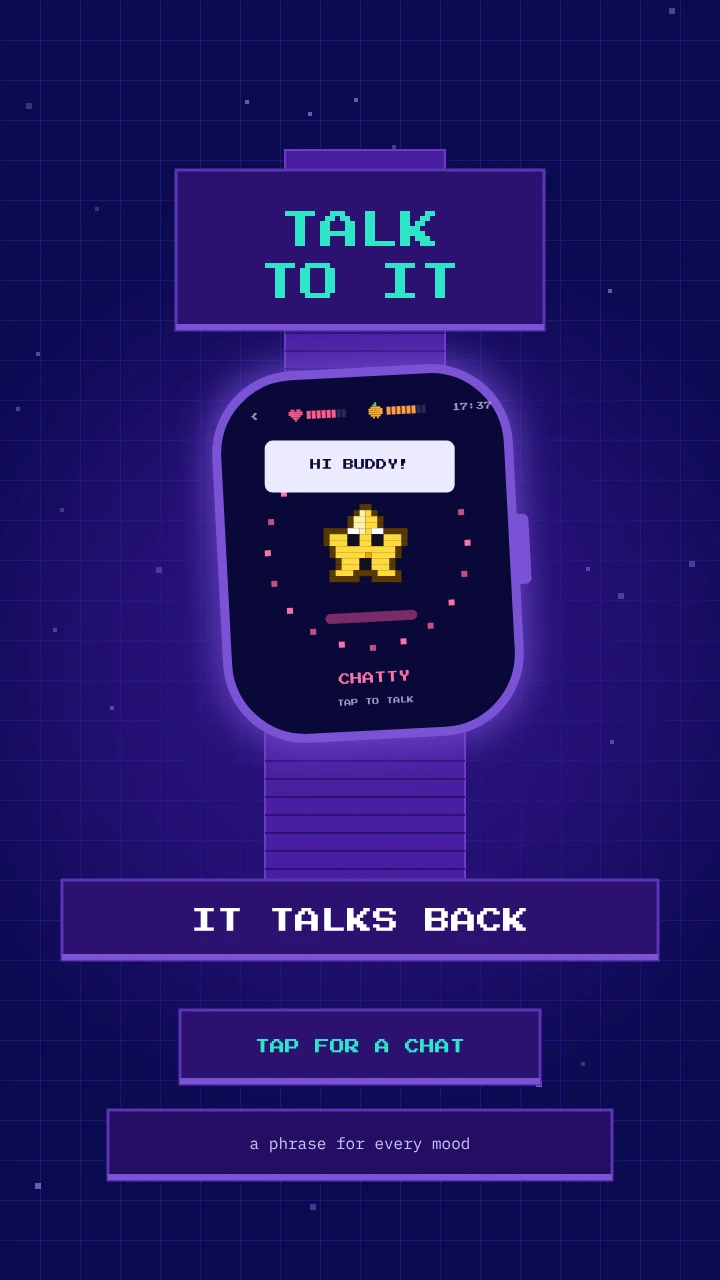
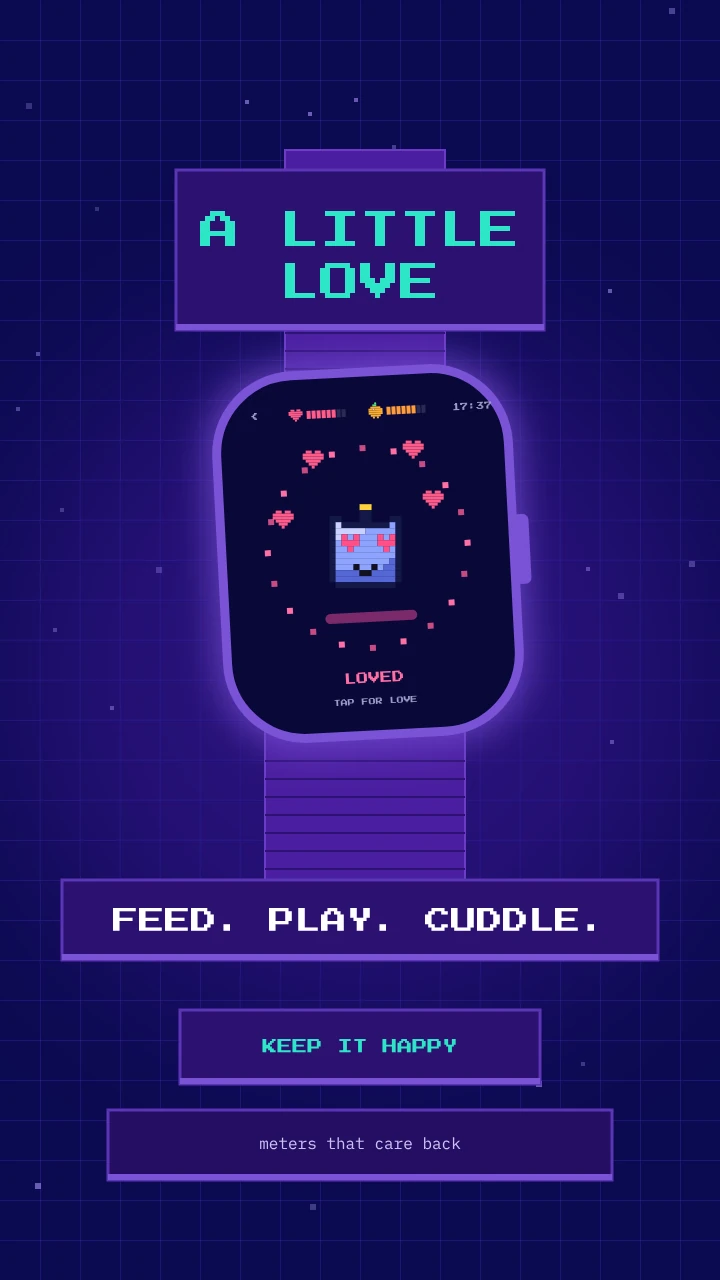
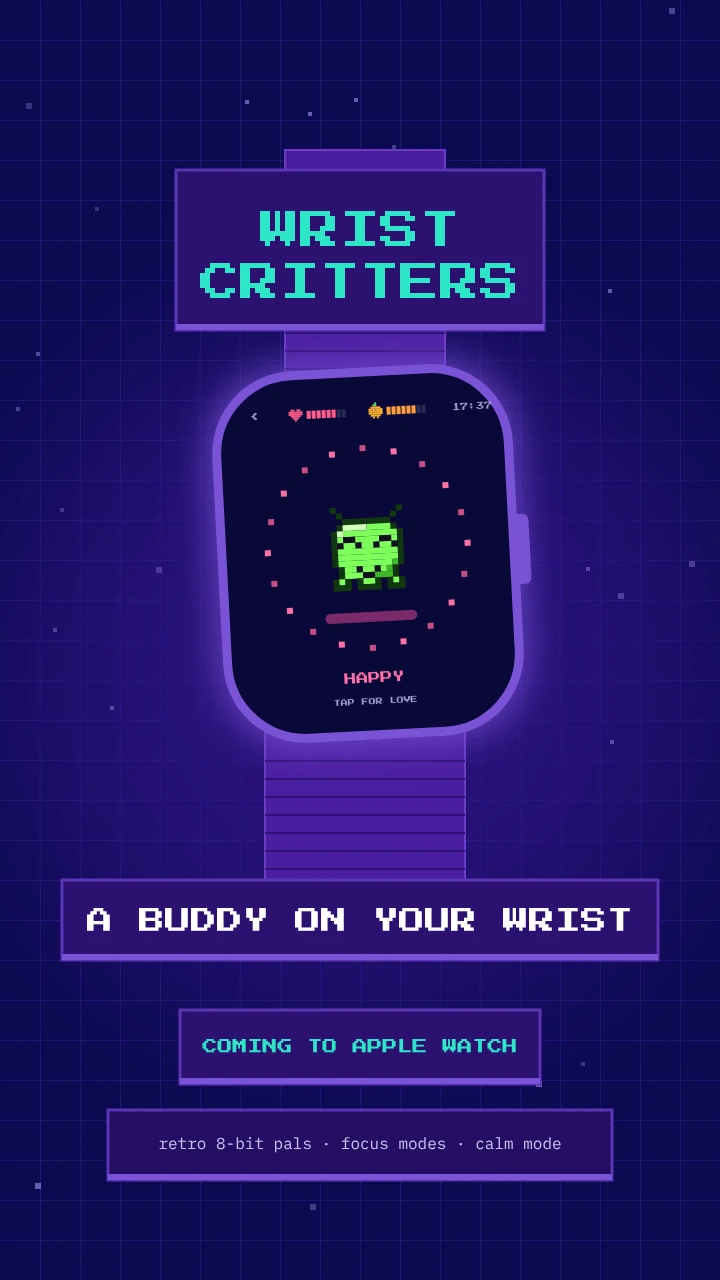
 App Store screenshots and promo scenes
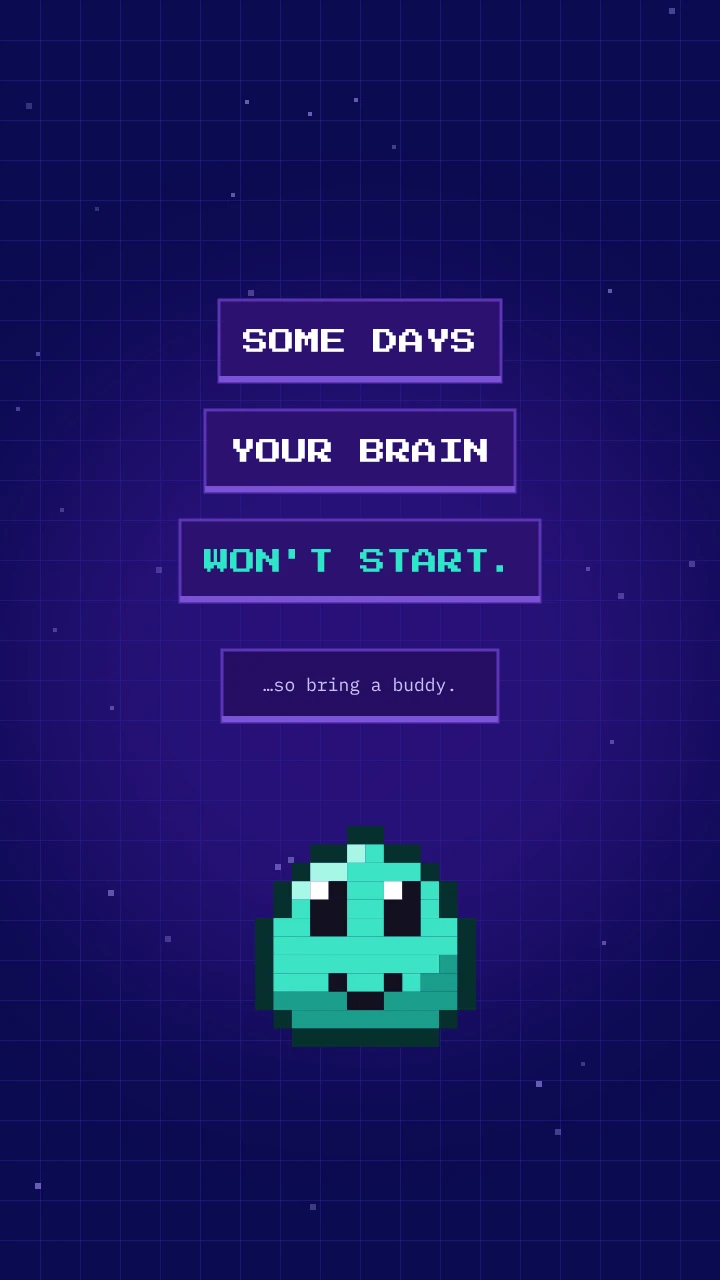
Marketing uses the same pixel language as the product.
Five 9:16 scenes with bold headlines, a tilted watch and the same hard-shadow panels as the UI.
Looking for a UI artist for game UI and motion for small touch screens?
I design polished interfaces and ship the assets to go with them.